Free Command Telegram Discord

CoinTrendzBot Help

Open a clear list of available commands and learn how to use CoinTrendzBot directly inside Telegram or Discord.

16:09
5G
CoinTrendzBot
CoinTrendzBot
online
Today
I need help with CoinTrendzBot!
/help
๐Ÿค–
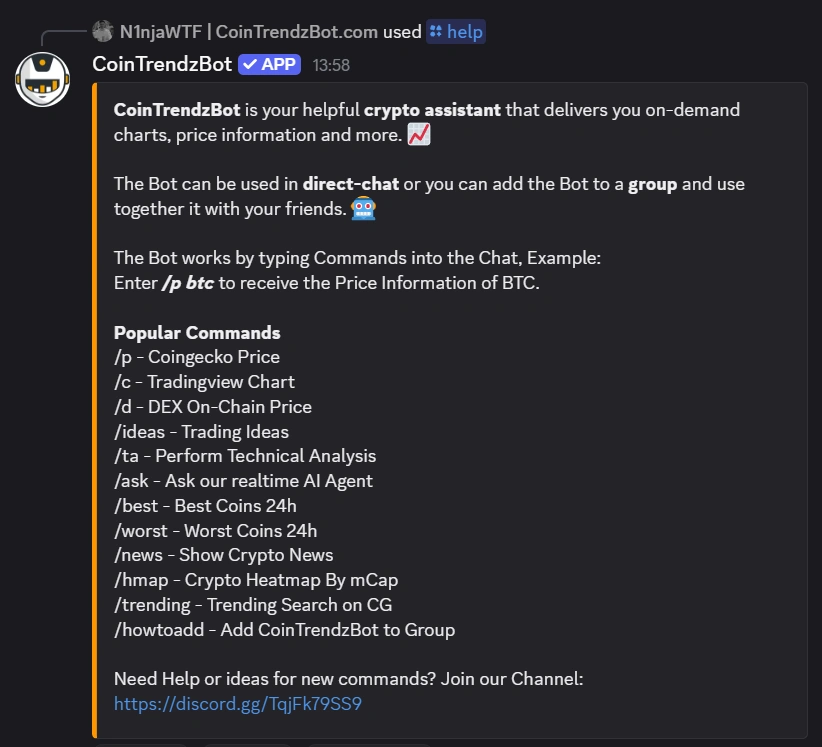
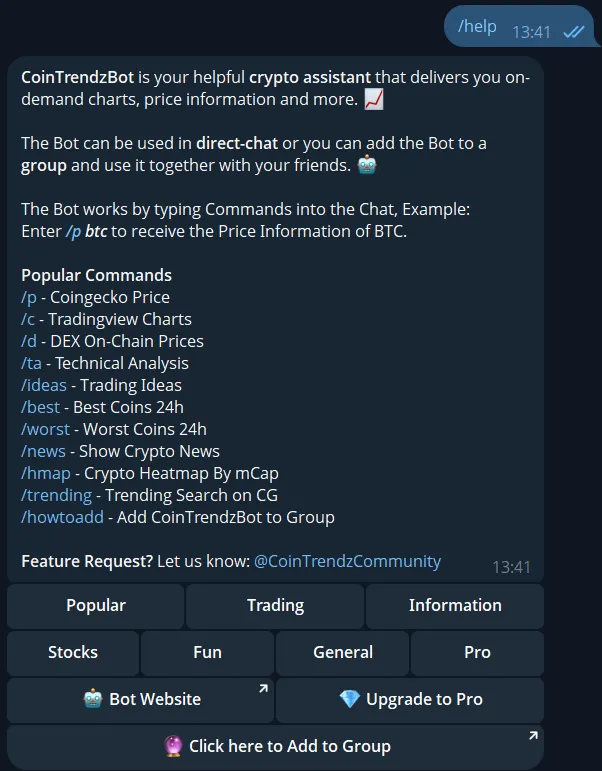
CoinTrendzBot is your helpful crypto assistant that delivers on-demand charts, price information and more.
Use it in direct chat or add it to a group to use with friends.
Type commands in chat. Example: /p btc to get BTC price.
๐Ÿ“˜
Popular Commands
/p - Coingecko Price
/c - Tradingview Charts
/d - DEX On-Chain Prices
/ta - Technical Analysis
/ideas - Trading Ideas
/best - Best Coins 24h
/worst - Worst Coins 24h
/news - Show Crypto News
/hmap - Crypto Heatmap by mCap
/trending - Trending Search on CG
/howtoadd - Add Bot to Group
๐Ÿ’ฌ
Feature Request? @CoinTrendzCommunity
15:19
Message
Trusted by 10,000+ traders
Used in 7,000+ Chat Groups
15,000+ daily users

What it does

The /help command gives users a quick overview of CoinTrendzBot inside chat. It shows available commands, helps people understand how to get started, and makes it easier to find the right feature without leaving Telegram or Discord.

  • Use /help to view supported commands in one place.
  • Discover features and basic usage guidance without searching through separate pages or messages.

Why itโ€™s useful

  • Quick command discovery
  • Simple in-chat onboarding
  • Useful for groups and DMs
  • Helps new users get started fast
  • Works on Telegram and Discord

Platform availability

See how this feature works on each supported platform.

Telegram

Use this command directly in Telegram chats and groups.

Command syntax
/help
Examples
/help
View Telegram guide

Discord

Use this command directly in Discord servers and channels.

Command syntax
/help
Examples
/help
View Discord guide

Example commands

Try one of these example chat commands.

Command syntax
/help
/help
Command syntax
/help
/help

Group Chat Preview

See what the command can look like in chat.
Telegram example
CoinTrendzBot Help example on Telegram
Discord example
CoinTrendzBot Help example on Discord
Free Command

Included for free

Use this feature anytime to browse CoinTrendzBot commands and learn how to use them directly in chat.

Need more insights?

View the guide for your platform

Frequently asked questions

The /help command displays an overview of available CoinTrendzBot commands and gives users a simple starting point for exploring the bot. It helps people understand what features are available and which command to run next.

Yes, the CoinTrendzBot Help command is free. Users can open the help menu and review available commands without paying for access.

Yes, this feature is available on both Telegram and Discord. It is designed to give users the same easy command overview across both platforms.

Just type /help in a supported Telegram chat, Discord channel, server, or direct message where CoinTrendzBot is available. The bot will return a list of commands and a quick feature overview.

Yes, it is especially helpful in active groups, servers, and trading communities where new members need a quick way to learn the bot. It reduces repeated setup questions and makes onboarding smoother.

After opening the help response, choose the command that matches what you want to do and run it in chat. The help command is meant to guide you toward the right CoinTrendzBot feature quickly.

Explore more tools and commands

Discover all CoinTrendzBot features

Top