 CoinTrendzBot
Discord S&P 500 Stock Market Heatmap Bot
Bring a color-coded map of up to 500 U.S. stocks into your server and give every member the same view of market strength and weakness.
Turn a Discord channel into a U.S. market dashboard
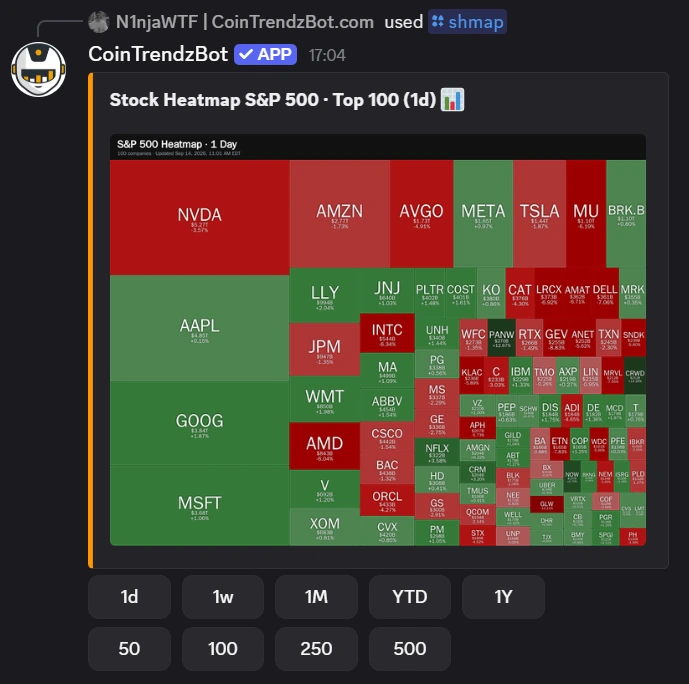
The /shmap command compresses hundreds of S&P 500 moves into one image. Members can distinguish broad participation from narrow mega-cap leadership, then change the depth or timeframe together.
Scan hundreds of stocks
Display the top 1 to 500 S&P 500 constituents instead of checking tickers one at a time.
Separate gains from losses
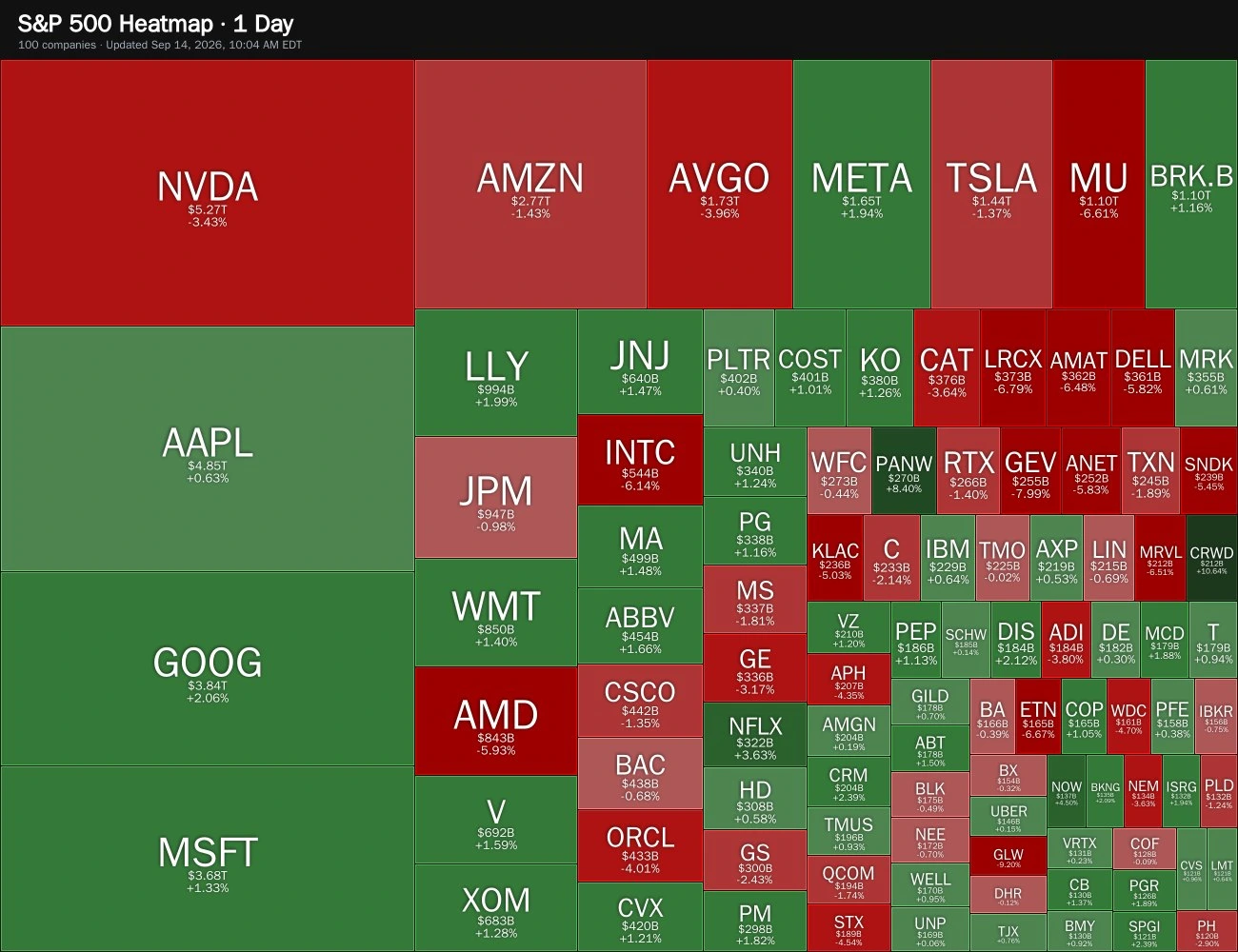
Green and red shading makes the strongest and weakest percentage moves immediately visible.
See market weight
Larger tiles represent larger market capitalizations, highlighting the companies with greater index influence.
Explore from one message
Buttons update the stock count and period without filling the channel with duplicate heatmaps.
Discord /shmap slash command
Parameters are optional: enter a stock count from 1 to 500 and one of five supported timeframes, or use the top-100 daily default.
/shmap [stock count] [timeframe]
Add an S&P 500 heatmap to Discord
No dashboard configuration or separate market-data account is required.
Invite CoinTrendzBot
Add the bot to your server and choose a stock or market-analysis channel where it can respond.
Run /shmap
Submit the slash command with no parameters for the top 100 S&P 500 stocks over the latest one-day period.
Compare another view
Select 50, 100, 250, or 500 stocks and switch between 1D, 1W, 1M, YTD, and 1Y.
A visual anchor for your Discord stock community
Pinpoint where a move is concentrated before the conversation turns to individual names, earnings, macro news, or sector narratives.
- Up to 500 S&P 500 constituents
- Color-coded percentage performance
- Market-cap-weighted tile layout
- Selectable daily through yearly views
- Included in the free Discord bot
Give your server the full heatmap for free
The /shmap command includes every supported stock count and timeframe without requiring CoinTrendz Pro.
Questions, ideas, or market observations?
Join the CoinTrendz community
Meet other traders, learn how people use CoinTrendzBot, and discuss new market features.

Prefer a different platform?
Explore the other heatmap versions
Discord stock heatmap questions
Explore more CoinTrendzBot commands