Schedule Crypto Commands Automatically
Create one-time or recurring CoinTrendzBot reports for your Telegram chats and Discord channels.

What it does
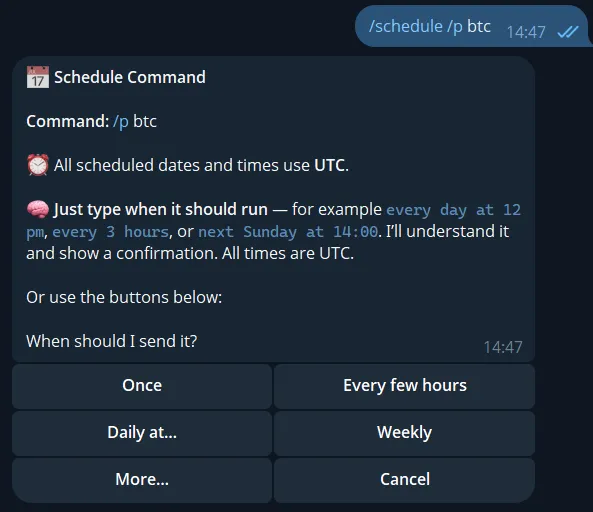
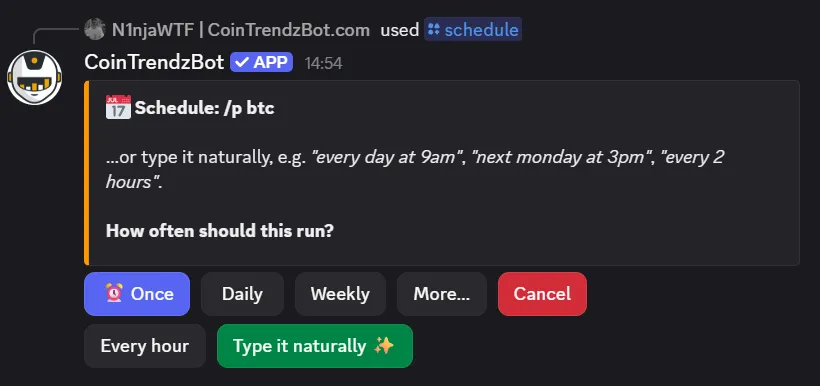
The /schedule command automates supported CoinTrendzBot commands. Choose the command and arguments, then create a one-time or recurring schedule. You can review upcoming runs, pause schedules, resume them, edit them, or delete them from the interactive schedule list.
- Schedule commands such as /p btc for automatic posting.
- Manage active schedules without editing server configuration or restarting the bot.
Why it is useful
- One-time and recurring schedules
- Natural-language schedule setup
- Interactive pause, resume, edit, and delete controls
- Destination-aware admin permissions
- Automatic command delivery
Use it on Telegram and Discord
Choose your platform and use the command directly where your community already chats.
Telegram
Use this command in Telegram private chats and groups.
/schedule [command] [arguments]
Discord
Use this slash command in Discord servers and channels.
/schedule [command]
Example commands
Use these examples as a quick starting point.
/schedule [command] [arguments]
/schedule
/schedule p btc
/schedule c eth
/schedule [command]
/schedule
/schedule command:p btc
/schedule command:c eth
Command preview
See how the result appears directly inside chat.
Available with CoinTrendz Pro
The /schedule automation command is available with CoinTrendz Pro and supports a configurable number of active schedules.
Frequently asked questions
Explore more crypto bot tools