 CoinTrendzBot
Discord Market Rotation Chart Bot
Bring changing leadership across U.S. stock sectors and crypto directly into your Discord market channels.
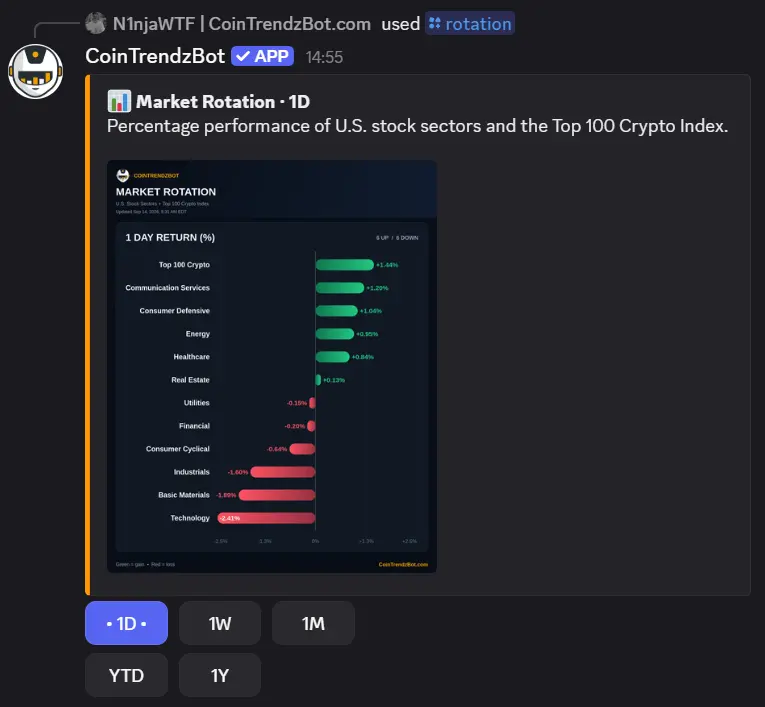
How market rotation works inside Discord
Run /rotation to post a current cross-market comparison. Every group uses the same percentage scale, and the buttons let members inspect whether leadership persists beyond the daily view.
Compare unlike markets fairly
View stock sectors and the Top 100 Crypto Index through percentage performance rather than nominal prices.
Move between periods
Switch from 1D to 1W, 1M, YTD, or 1Y without posting a new chart command.
Spot leadership changes
Identify which groups are strengthening and which are losing relative momentum.
Keep analysis in-channel
Share the same market snapshot with everyone following the discussion.
Discord slash command
Run /rotation by itself, then choose the desired period from the interactive chart controls.
Add market rotation to a Discord channel
The command is simple enough for every member to use.
Invite CoinTrendzBot
Add the bot to your server and choose a channel where market commands are allowed.
Enter /rotation
Submit the slash command to load the latest one-day comparison.
Inspect the bigger picture
Use the period buttons to compare short-term movement with monthly, YTD, and yearly leadership.
A shared reference for cross-market channels
Give members a common chart for discussing sector strength, risk appetite, and the relative pace of crypto.
- One comparable view across market groups
- Five selectable performance periods
- Useful for recaps and research channels
- No symbols or exchange settings
- Included in the free Discord bot
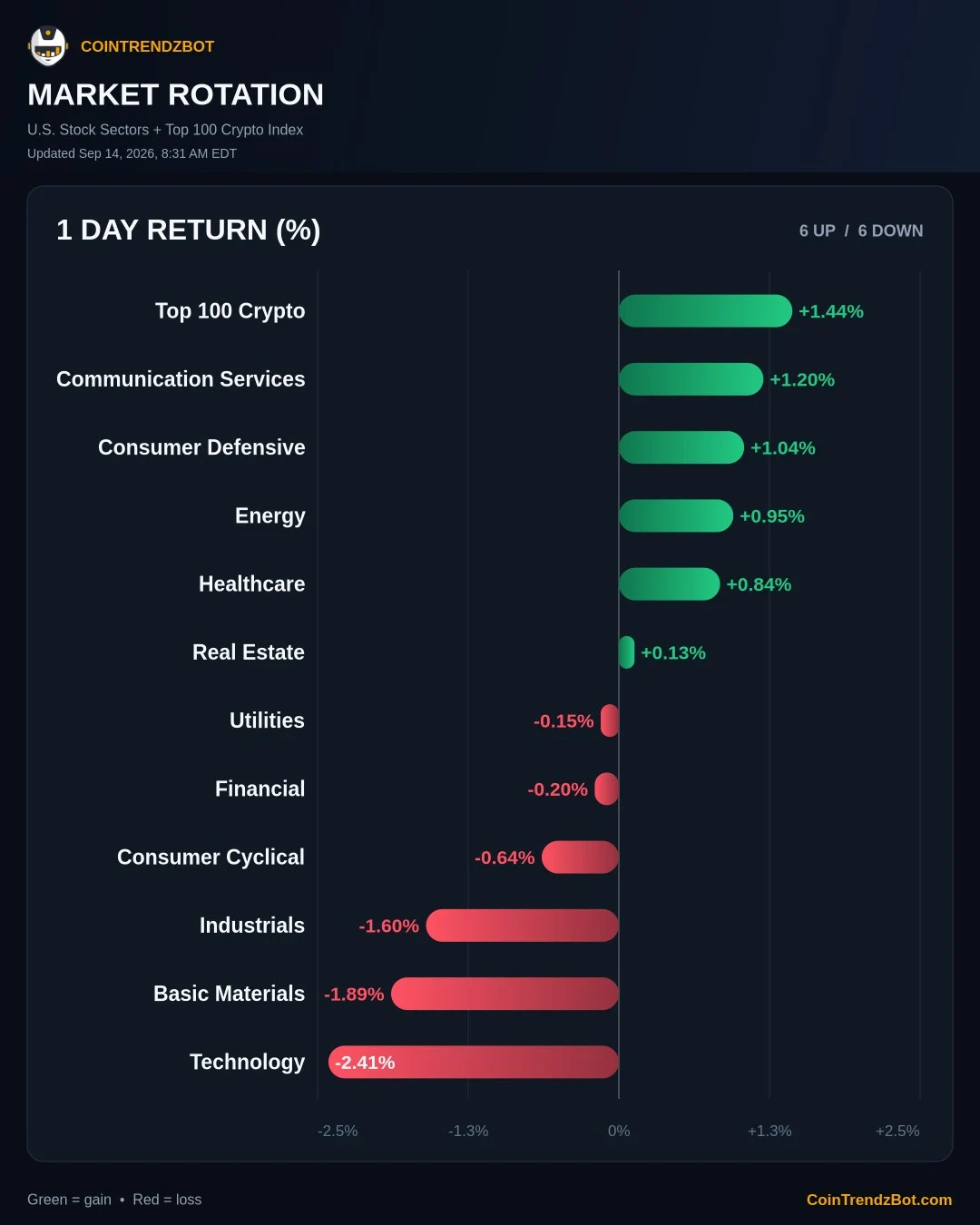
Use /rotation for free
The market rotation chart and all five periods are available without a CoinTrendz Pro subscription.
Questions, ideas, or market observations?
Join the CoinTrendz community
Meet other traders, learn how people use CoinTrendzBot, and discuss new market features.

Frequently asked questions
Explore more CoinTrendzBot commands