Pro Command Telegram Discord

AI Crypto Chart Analysis

Analyze posted chart images with AI and get a fast, readable breakdown of price action, indicators, and chart context inside Telegram or Discord.

16:09
5G
CoinTrendzBot
CoinTrendzBot
online
Today
Can AI break down this BTC chart?
/aitrend
Crypto chart analysis generated by CoinTrendzBot inside Telegram chat
๐Ÿ“Š
Market Structure
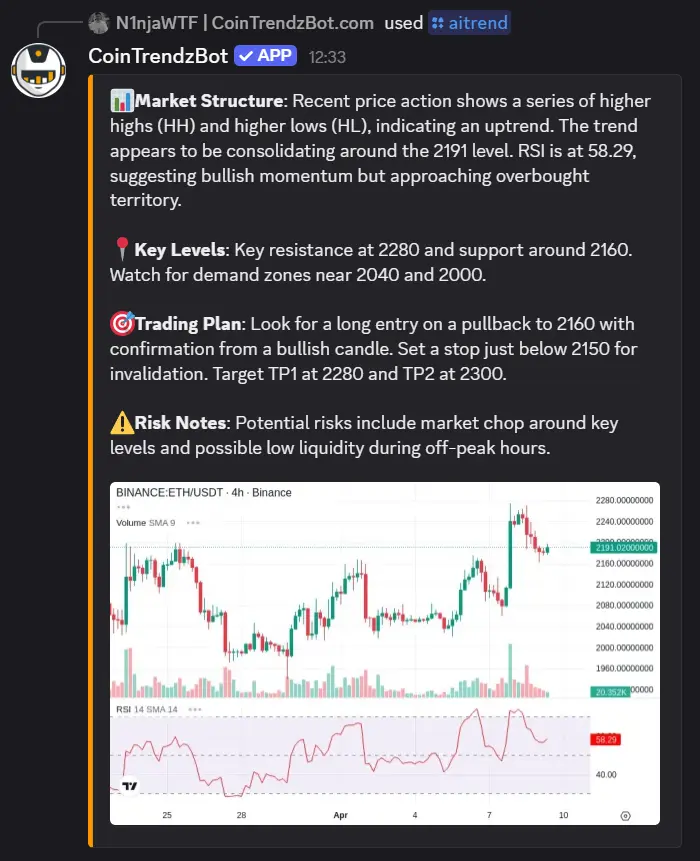
Trend: Uptrend (HH/HL)
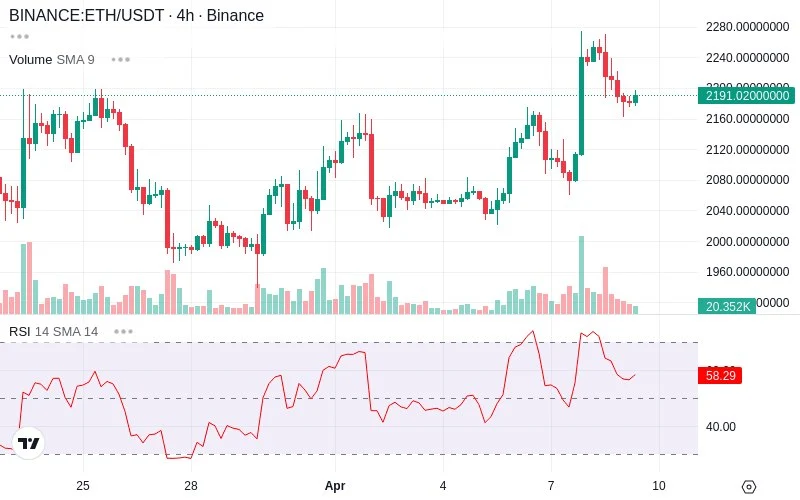
Price Zone: ~2191 consolidation
RSI: 58.29 โš ๏ธ approaching overbought
๐Ÿ“
Key Levels
Resistance: 2280
Support: 2160
Demand Zones: 2040 โ€ข 2000
๐ŸŽฏ
Trading Plan
Entry: 2160 pullback
SL: below 2150
TP1: 2280 โ€ข TP2: 2300
โš ๏ธ
Risk Notes
Choppy market near key levels โ€ข Low liquidity risk
09:04
Message
Trusted by 10,000+ traders
Used in 7,000+ Chat Groups
15,000+ daily users

What it does

The AI Crypto Chart Analysis feature helps traders and crypto communities interpret chart screenshots directly in chat. With the /aitrend command, CoinTrendzBot reviews the visible structure of a chart image and returns a clear summary of what the AI can identify, including trend context, notable levels, indicator readings, and chart annotations when they are visible.

  • Use /aitrend on a chart image to get an AI-generated chart breakdown in seconds.
  • Review visible trend structure, price zones, indicators, and technical context without leaving Telegram or Discord.

Why itโ€™s useful

  • AI chart image interpretation
  • Reads visible indicators and drawings
  • Faster chart reviews in chat
  • Useful for groups and DMs
  • Telegram and Discord support

Platform availability

See how this feature works on each supported platform.

Telegram

Use this command directly in Telegram chats and groups.

Command syntax
/aitrend
Examples
/aitrend Reply to a BTC chart with /aitrend Reply to an ETH chart with /aitrend
View Telegram guide

Discord

Use this command directly in Discord servers and channels.

Command syntax
/aitrend
Examples
/aitrend Reply to a BTC chart with /aitrend Reply to an ETH chart with /aitrend
View Discord guide

Example commands

Try one of these example chat commands.

Command syntax
/aitrend
/aitrend
Reply to a BTC chart with /aitrend
Reply to an ETH chart with /aitrend
Command syntax
/aitrend
/aitrend
Reply to a BTC chart with /aitrend
Reply to an ETH chart with /aitrend

Group Chat Preview

See what the command can look like in chat.
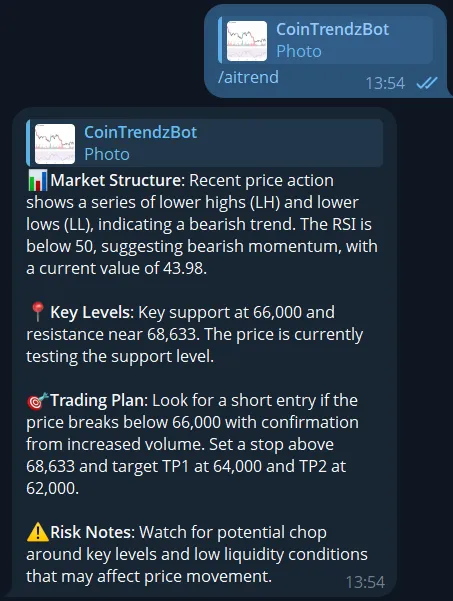
Telegram example
AI crypto chart analysis example on Telegram
Discord example
AI crypto chart analysis example on Discord
Pro Command

Available in Pro Version

Unlock this feature and more advanced tools with the Pro plan.

Need more insights?

View the guide for your platform

Frequently asked questions

This feature lets you use /aitrend to analyze a posted chart image with AI. The bot reviews what is visible on the chart and returns a readable summary of price action, trend structure, indicators, and marked levels when they can be identified from the image.

Use /aitrend as a reply to a chart image in Telegram or Discord. The command is designed to work on chart screenshots, so the AI can examine the image and comment on the technical context shown in that chart.

No, this is a Pro feature. You will need a CoinTrendz Pro plan to access /aitrend and use AI chart analysis inside chat.

Clear chart screenshots generally work best. Images with visible candles, timeframes, indicators, volume panels, trendlines, or annotations give the AI more context to interpret and summarize accurately.

Yes, the feature is built for both private use and community discussions. It works well in Telegram groups, Discord servers, direct messages, and other chat-based workflows where traders want to review charts together.

The feature is focused on chart image analysis and can also help interpret stock-style chart screenshots when the image is clear. The main goal is to explain the visible chart setup rather than rely on a specific asset category alone.

Explore more tools and commands

Discover all CoinTrendzBot features

Top